
A logistics servicing company running a large commercial fleet could not answer a simple question: where is this tyre now, and how much tread does it have left? Agmis built a field-ready tyre management system - an Android inspection app that connects to Bluetooth tread and pressure sensors, records every tyre by serial number, axle position and vehicle, and writes the result straight into Microsoft Dynamics 365.
The client services a large commercial fleet - vehicles that stay on the road only as long as their tyres do. Tyre condition, tyre placement and tyre availability are not back-office details for a business like this. They are the service being delivered, the cost being controlled, and the reason customers renew.
That makes the fleet unusually demanding. Every vehicle carries multiple axles, every axle position wears differently, and every tyre moves between vehicles over its life. The company needed a record that could follow a single tyre from fitment to disposal across a fleet of more than 35,000 - and a workflow a technician could actually complete on site, next to the vehicle, without returning to a desk.
At a few hundred tyres, a spreadsheet works. At thirty-five thousand - spread across vehicles, axle positions, depots and service visits - the spreadsheet becomes a source of confident errors. The company was not short of data. It was short of one record it could trust.
Tyres were counted in one place and fitted in another. Stock existed on paper but not on the rack, and tyres that had been replaced still appeared as available. Every discrepancy was resolved by asking someone who remembered - which works until that person is on holiday.
A tyre is not a stock item. It is a fitted component with a history: which vehicle, which axle, which position, when it was moved and why. Without that history, wear patterns cannot be attributed to a route, a vehicle or a wheel alignment problem - so the same failure repeats.
Tread depth was measured by hand, written on paper and entered into a system later. By the time the number reached anyone who could act on it, the rotation window had passed and the replacement had become urgent. Late data still looks like data - it just does not change anything.
Field teams worked outside Microsoft Dynamics 365, and the existing tools could not sync with it. Central records lagged behind reality, finance reconciled tyre costs by hand, and the ERP held a version of the fleet that no technician would have recognised.
Agmis built the missing layer between the workshop floor and the ERP: a mobile application a technician can use with one hand, in gloves, standing next to a truck - capturing measurements from Bluetooth sensors and writing them into the system of record without a second step.
Each tyre becomes a record rather than a line in a stock count - serial number, size and brand, tied to its current fitment. Two tyres that look identical on a rack are no longer interchangeable in the data, which is what makes warranty claims, retread decisions and disposal auditable.
Tread depth and inflation pressure are read from Bluetooth-enabled sensors and captured directly in the app at the moment of inspection. The number cannot be mis-transcribed, and it arrives attached to the right tyre instead of to whichever line the technician wrote it on.
Every record carries the vehicle ID and the axle position the tyre is fitted to. That turns a snapshot into a history - where this tyre has been, how long it spent there, and what its wear looked like on each position. Position data is what makes wear patterns attributable.
The task flow follows the inspection itself: identify, measure, confirm position, done. Minimal taps, large touch targets, and no need to return to a desk. An app a technician abandons after two weeks is worse than paper, so the workflow was designed around how the work is actually done.
Records are written into Dynamics 365 through its APIs, so the ERP stays the single source of truth for asset history, service records and cost. The field view and the central view stop diverging, and finance stops reconciling tyre spend by hand.
Inspection data is captured once, attached to a specific tyre, and synced to the ERP - so operations and finance work from the same record.
One record. No transcription. No later reconciliation.
The minimum viable record for tyre lifecycle management - and the reason position history becomes possible at all.
Counts stop being estimates. When every tyre is identifiable, the gap between what the system says and what is on the rack closes - and the stock held to cover that uncertainty can be reduced instead of quietly growing.
Tread and pressure are recorded during the inspection rather than reconstructed from paperwork days later. Decisions about rotation and replacement are made on the condition the tyre is in today, not the condition it was in at the last audit.
Wear rates per position and per vehicle make the next replacement predictable. Tyre purchasing moves from reactive - buying whatever is available at roadside prices - to planned, against a forecast the operation can see coming.
One pass replaces measure, write, re-enter and reconcile. The saving is not only time: every manual handoff removed is a place where a number can be attached to the wrong tyre, and those errors are the expensive ones.
Warranty claims, retread decisions, disposal and compliance questions become evidenced rather than argued. The history is attached to the asset, so the answer does not depend on finding the technician who remembers.
Tyre spend becomes measurable per vehicle, per route and per supplier, rather than visible only as a monthly invoice total. That is the number fleet managers need to compare options - and the one most fleets cannot produce.
The technician selects the vehicle and the axle position, then confirms the tyre's serial number. From that moment the app knows exactly which asset is being inspected, which vehicle it is on, and what its previous measurements were - so the current reading has context before it is even taken.
Tread depth and inflation pressure stream from Bluetooth-enabled tools into the app. No writing, no photographing a gauge, no second device. The measurement is timestamped and tied to the tyre the technician just identified.
The reading is appended to that tyre's record, not overwritten. Over successive inspections the app accumulates a wear curve for a specific tyre on a specific axle position - which is what allows a fleet to distinguish normal wear from a vehicle, alignment or route problem.
The record is written into Dynamics 365 through its APIs. Managers see fleet-wide condition without requesting a report, finance sees tyre cost against the right vehicle, and the ERP stops being a version of the fleet that is always a few weeks behind.
Agmis builds custom fleet software - field applications, sensor integrations and ERP connections - around the way your operation actually works. If tyres, trailers, tools or equipment are tracked on spreadsheets today, let's talk about what a single record would change.
Fleet software fails for a predictable reason: it is designed for an average fleet. Agmis builds for the specific one - the vehicles, the inspection routine, the ERP instance and the technician holding the phone.
Off-the-shelf tyre platforms impose their own data model on your operation. Agmis builds custom software around the workflow you already run, so the system fits the fleet rather than the fleet fitting the system.
Writing into Dynamics 365 is straightforward in a demo and difficult in production - identities, duplicates, failed syncs and historical data all have to be handled. Agmis has delivered ERP integrations for aviation and ground handling operations where the same constraints apply.
Bluetooth measurement only helps if it is reliable in a workshop: pairing that survives a shift, readings that are not lost when a device sleeps, and a fallback when a sensor fails. This is device engineering, and it is where field applications usually break.
An app is only as good as its adoption in week three. Agmis designs around the person doing the work - gloves, daylight, time pressure, one hand - because a system that technicians avoid produces exactly the data quality problem it was bought to solve.
 Optimized Fleet Operations
Built a logistics management platform for trucking operations, optimizing fleet coordination and route planning for transportation companies.
Read case study →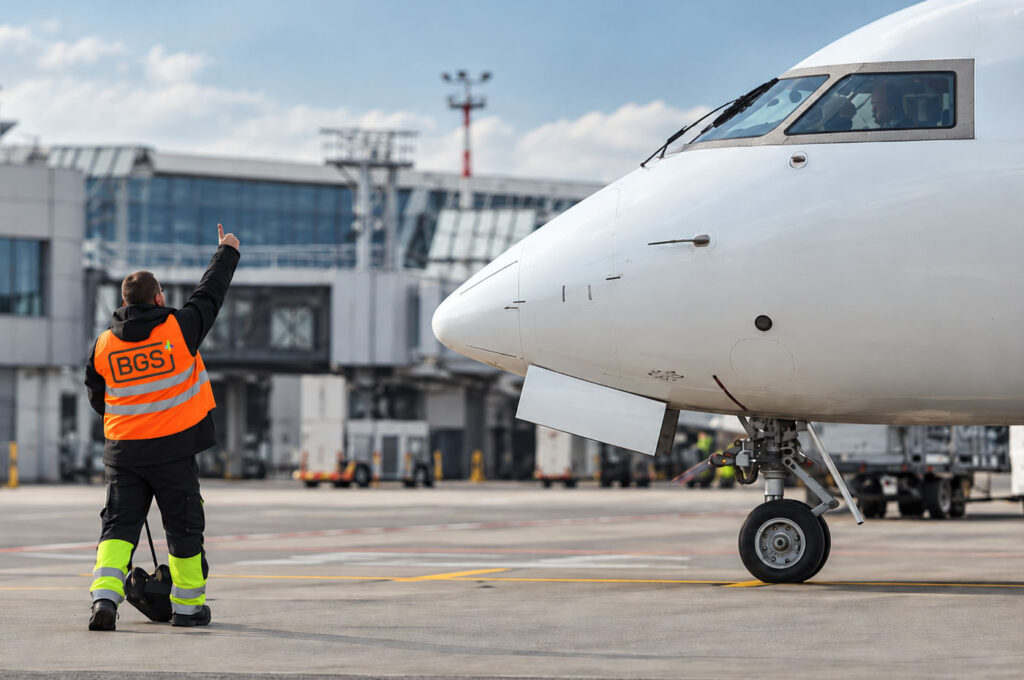 5 Modules, 1 Flow
Agmis bridged Baltic Ground Services' operational platform into Microsoft Dynamics 365 Business Central, giving fuelling, ground handling and de-icing one controlled, auditable billing flow.
Read case study → Enhanced Field Efficiency
Developed a GPS-enabled mobile visit management system for social services, improving care coordination and route efficiency across field teams.
Read case study →
Digital transformation in logistics isn’t about adopting technology for its own sake – it’s about eliminating the operational…
Read article →
In every Business Central integration demo, a technician scans something, the record appears in the ERP, and the…
Read article →
Ask two people in the same company how digitally mature it is, and you will get two different…
Read article →